MAKE SPACE
One workspace.
Your whole train of thought.
Split, resize, and arrange up to eight panes. Switch projects without stopping the shells you left running.
A PLACE FOR EVERY PROJECT ⌘ D
Your terminal. Your agents. Your flow.
A native macOS home for the things you’re building.
macOS 14+ · Apple Silicon & Intel · Open source
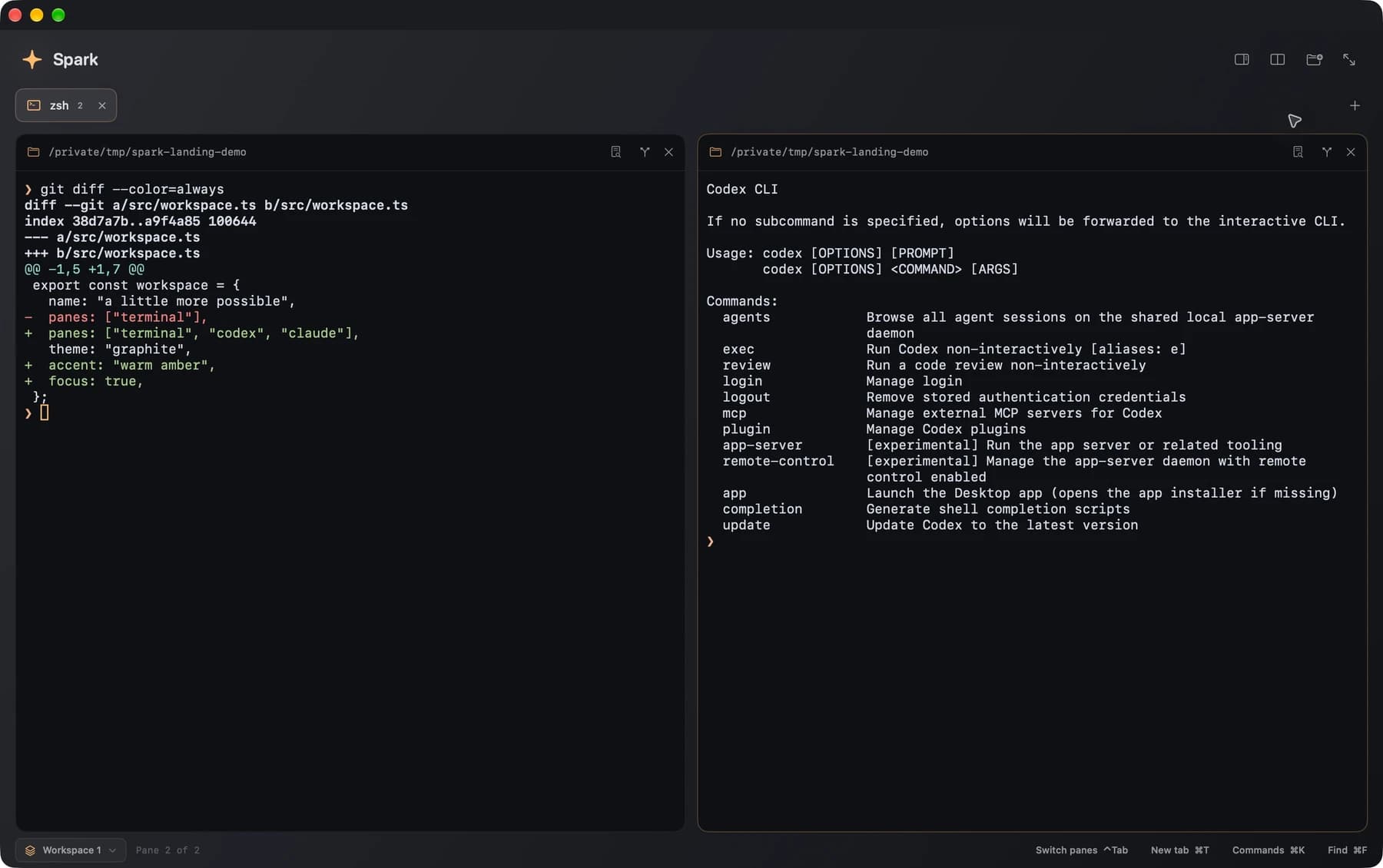
Real terminals. Independent processes. One space to make things happen.
01 / ROOM TO THINK
Your shell already knows you. Spark gives it a place to breathe—with the tools to keep your projects, agents, and ideas moving together.
Split, resize, and arrange up to eight panes. Switch projects without stopping the shells you left running.
See what Codex and Claude Code are doing, which agent needs you, and the usage they report. Across tabs. At a glance.
 CodexIn its own terminal. In your flow. Working
 Claude CodeA little attention when it matters. Needs you
Jump into the command palette, find a session, split a pane. Keep your hands where your ideas happen.
⌘ KLocal shells and local workspace files. Agent metrics come from your CLI sessions, without scanning transcripts.
LOCAL BY DESIGNSwiftUI and AppKit. Metal rendering. Warm graphite, quiet chrome, and a focus mode that gets out of your way.
BUILT FOR macOS02 / FROM SPARK TO SHIPPED
Branch into something new. Bring your favorite agent. Review what changed. All without leaving your terminal’s orbit.
Create a Git worktree from your current commit. Open it in a tab or split, with a terminal, Codex, or Claude Code.
Keep agents and shells side by side. Follow live activity and return to recent CLI conversations when you need them.
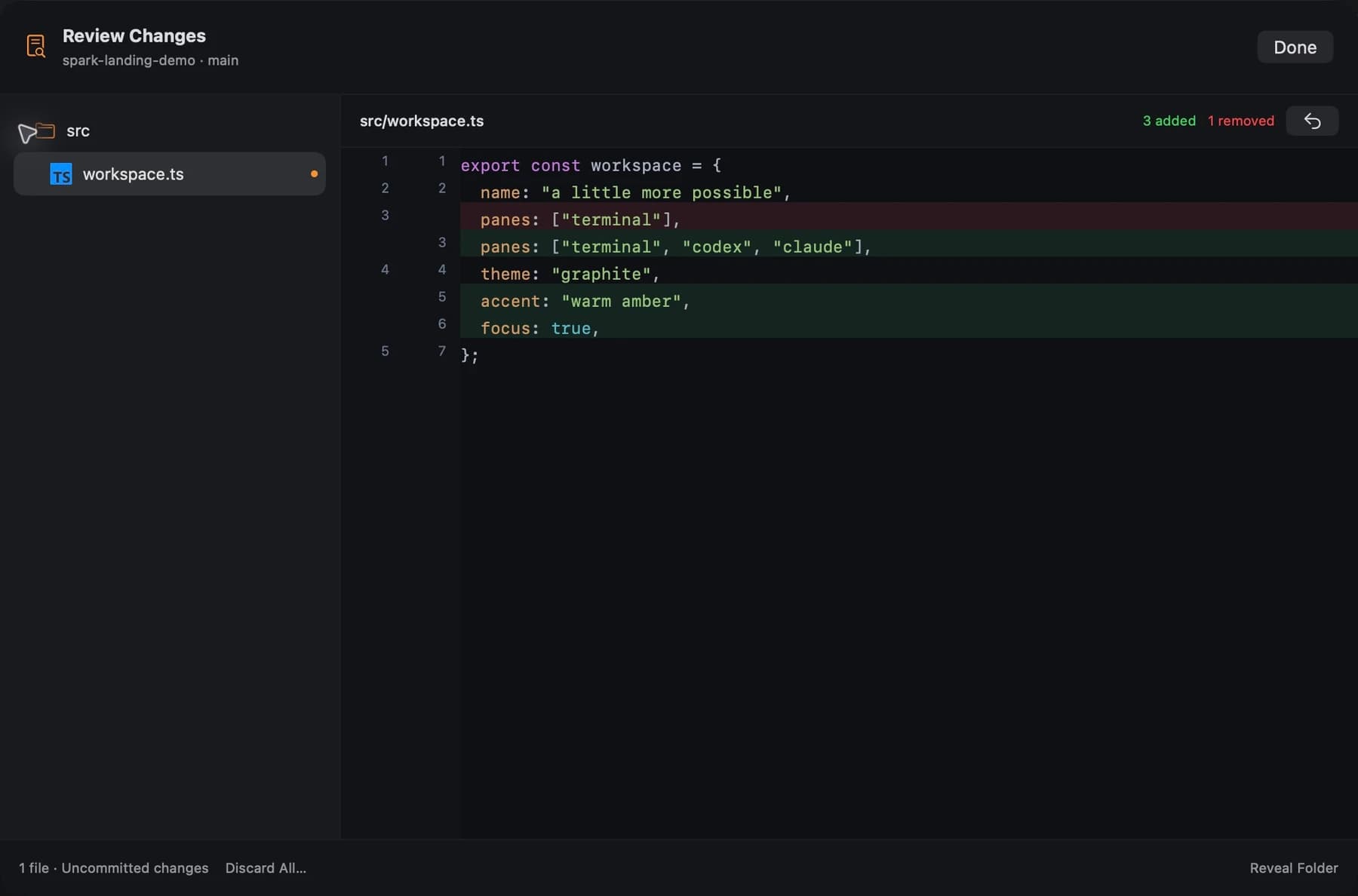
Review syntax-highlighted diffs as files change. Compare your working tree or the entire task, then preview merge conflicts before merging.
03 / OPEN BY NATURE
A terminal is personal. Its source should be open.
Read it. Tinker with it. Make it a little more yours.
Spark is an independent project by Lucas Arch, built in the open for people who love making things.
Find Spark on GitHubSpark is an open-source terminal built specifically for macOS. It combines real shell sessions with split panes, persistent workspaces, Git worktrees, native code review, and awareness of Codex and Claude Code.
macOS 14 Sonoma or later. Release builds support both Apple Silicon and Intel Macs. Spark uses your account’s login shell and existing shell configuration. Codex and Claude Code are optional and installed separately.
You can use Spark as a regular terminal without an AI account. To use Codex or Claude Code, install the corresponding CLI and sign in through that tool. Any provider subscription or API charges are separate from Spark.
Workspace layouts, tabs, folders, pane arrangements, and references to CLI conversations. Restoring a workspace starts fresh shells; it does not restart commands or agents. Spark does not save terminal scrollback or conversation content in workspace files, and it does not scan agent transcripts or read API keys for its metrics.
Click Download for macOS to get the DMG installer from the latest stable GitHub release. You can also browse all releases on GitHub or build Spark from source using the instructions in the repository.
Explore the source, report a reproducible bug, suggest an improvement, or open a pull request on GitHub. Spark is being built in the open, and thoughtful contributions are welcome.
YOUR NEXT IDEA STARTS HERE.
Open source. Made for Mac. Made for you.
Release notes & previous versions ↗